
Most business owners do not need another software promise. They need a practical way to keep work moving when customers are calling, staff are stretched, and the same information has to be copied from one place to another for the third time that day.
At Expert AI Services, the practical answer is often smaller than the market suggests: one assistant, one capture layer, and one automation hub. That is enough to reduce manual toil without forcing a team into a maze of dashboards. It also fits the way many Kansas businesses operate: direct communication, clear ownership, and tools that have to earn their place. The team behind Expert AI Services brings building-systems experience from controls, BAS, low-voltage, and field coordination into the AI work. That matters because useful automation starts with respect for the people doing the job. Learn more about that operating background on the Expert AI Services about page.
The problem with many AI projects is not ambition. The problem is too many places for work to hide. A coordinator logs a call in one tool. A technician sends a photo by text. A quote starts in email. A supplier answer lands in a different inbox. Then someone has to remember what changed, who approved it, and what still needs follow-up.
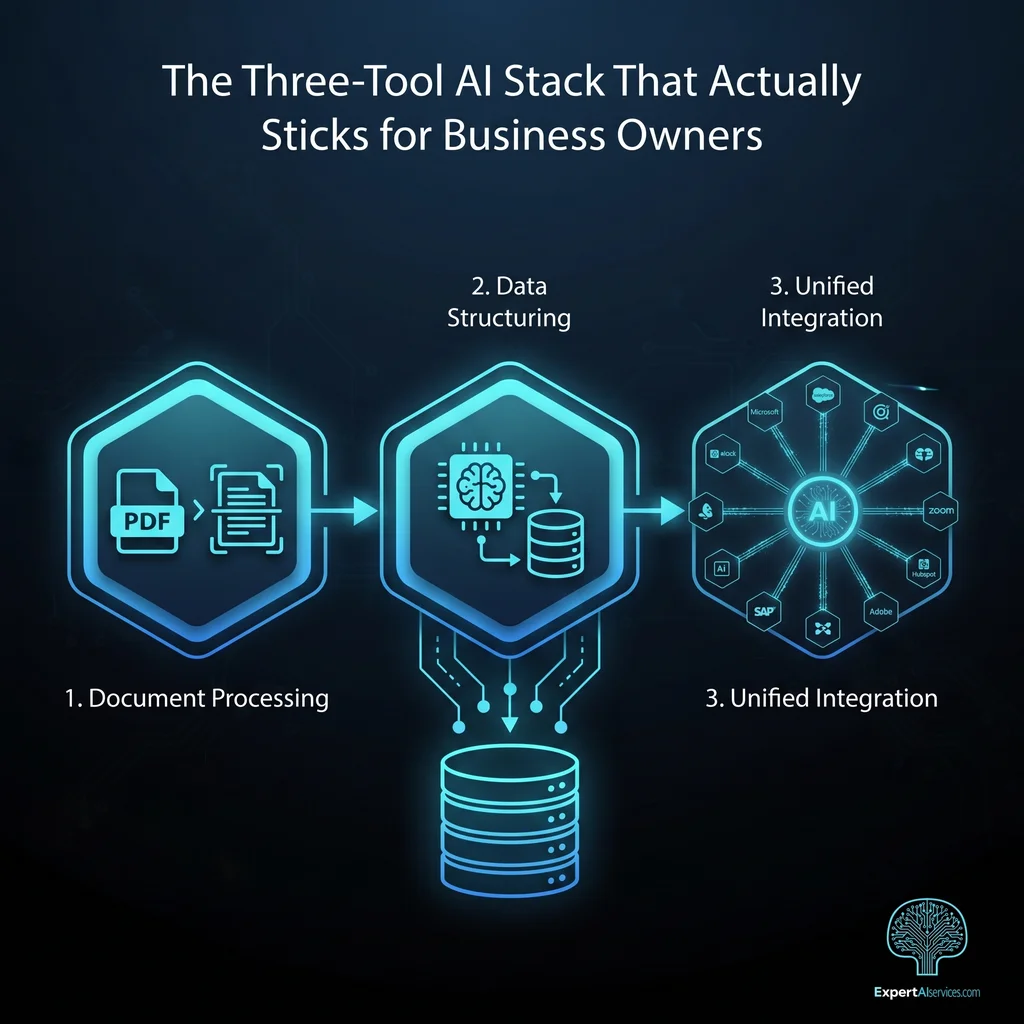
A three-tool stack works because each layer has a clean job. The assistant helps with language and reasoning. The capture layer turns field reality into usable inputs. The automation hub moves approved work between systems. Nothing in that setup has to pretend it is the whole company.
A useful AI stack should make Monday morning easier, not add another place where the team has to check for hidden work.
Picture a Kansas service company handling repair calls, small projects, RFQs, job notes, and customer updates across a normal week. This is not a named client case study. It is a composite scenario based on the kind of workflow pressure many owners and operators recognize: too much information moving through too many channels, with too little time to clean it up.
The owner wants faster quote prep, cleaner customer follow-up, and fewer dropped details. The team does not want AI making commitments on its own. They want support that keeps the working day organized while people stay in charge of judgment, pricing, and customer relationships.
The assistant is the place for thinking work. It can draft customer replies from approved notes, condense long email threads, outline a scope from field details, and ask for missing information before a quote moves forward. It should not be the system of record, and it should not be treated as an all-knowing manager. Its job is to help the person who already owns the work move faster with less blank-page effort.
The capture layer turns scattered inputs into structured work. That might include phone notes, SMS requests, form fills, PDFs, drawings, photos, or technician updates. The capture layer is where the stack stops relying on memory. If a field note says the customer needs a revised quote, that information should be captured in a consistent format before anything gets routed.
The automation hub moves approved information to the right place. It can create a draft task, route an RFQ follow-up, log a customer update, or notify a coordinator that a review is needed. The key word is approved. A good hub does not quietly change pricing, send commitments, or overwrite customer records without a gate. It makes the next step visible and leaves a trail when something is skipped or blocked.
The stack sticks when the rules are obvious. The assistant can suggest. The capture layer can structure. The automation hub can route. Human review stays in front of pricing approvals, vendor commitments, customer-facing sends, and changes to CRM, email, or files.
That boundary matters in Kansas businesses where trust is often personal. A customer knows the owner. A supplier knows the coordinator. A technician knows the building. AI should simplify the work around those relationships, not blur responsibility. Partial reliability can become expensive when it creates review burden, cleanup work, or confusion about who approved what.
Implementation should start with a weekly workflow, not a vendor comparison. Pick one recurring path: a service request that becomes a quote, a drawing review that becomes a task list, or an SMS conversation that needs a clean follow-up. Then map the handoffs, approvals, and points where people are currently copying, retyping, or chasing updates.
From there, the stack can stay model-agnostic. The assistant may change over time. The capture layer may use forms, inbox parsing, OCR, or document intelligence similar to DWG-Extract. The automation hub may connect a CRM, shared drive, spreadsheet, quoting tool, or email workflow. The point is to build around the work instead of locking the business into a single AI brand.
SMSai shows the same philosophy in a narrow product: SMS automation that helps teams respond and coordinate without forcing every customer conversation into a bulky platform. It is proof that useful AI often starts by removing clutter from a workflow, not adding another dashboard. See the applied example at SMSai.
Before a business owner trusts AI during a busy week, the workflow needs simple acceptance tests. Can a coordinator explain what the assistant does? Can a technician see where notes go? Does the automation leave a trail when something is skipped? Is there a clear review point before anything reaches a customer, supplier, CRM, email, or file store?
If those answers are clear, the stack has a better chance of sticking. It does not need to impress the office on day one. It needs to be boring enough that people use it on Thursday afternoon when calls are backed up and a quote is due.
The Three-Tool AI Stack That Actually Sticks for Business Owners is not about chasing an all-in-one promise. It is about assigning three jobs to three reliable layers: an assistant for drafting and reasoning, a capture layer for clean inputs, and an automation hub for controlled handoffs.
For Kansas owners, that approach keeps AI close to the work. It respects the people who know the customer, the building, the route, and the exceptions. It also gives leadership a practical way to measure value: less manual logging, fewer missed handoffs, faster coordination, and clearer accountability when work moves between teams.
Explore how custom AI services transform operations, or talk with an AI integration lead about a workflow that needs to hold up in the real week, not just in a demo.
Client Type
The Problem
The Solution
Result
Result
Result
Conclusion