
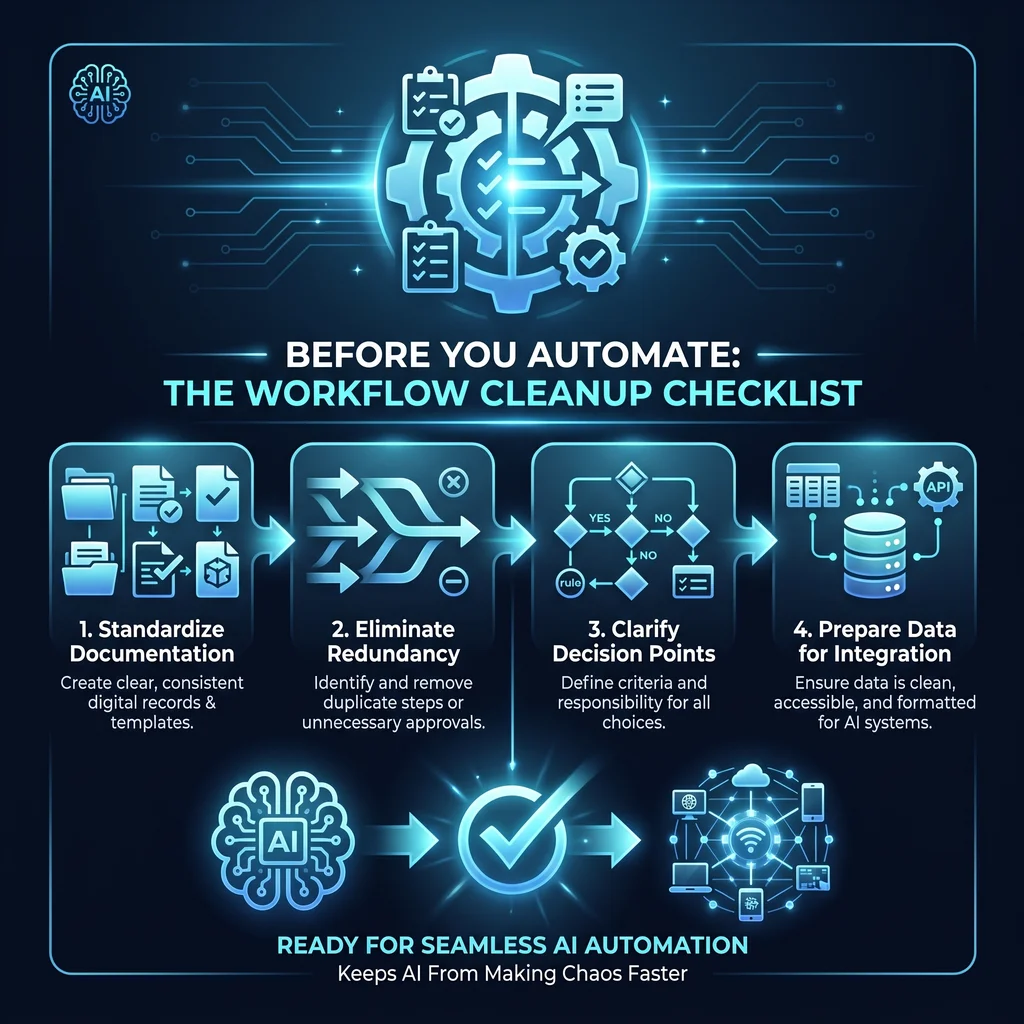
AI automation is easier to buy than it is to operate. That is where many small businesses get stuck. The owner sees a promising AI agent, browser tool, connector, or internal workflow app and thinks, reasonably, that it should save time. Then the tool meets the real process: scattered notes, unclear approvals, duplicate spreadsheets, missing context, and one employee who knows the unofficial way everything actually gets done.
When that happens, AI does not simplify the work. It can make the confusion move faster.
For Kansas owners and operators, the better starting point is not “Which model should we use?” It is “Is this workflow clean enough to automate?” That question is less flashy, but it is where reliable custom AI services begin.
Automation should remove manual toil, not turn an unclear process into a faster unclear process.
Before picking software, write down the job as it happens today. Not the version in the training manual. The real version. Who starts it? What information do they need? Where does that information live? What gets copied, checked, renamed, forwarded, or logged? Who knows when the work is actually done?
This is especially important for businesses with field coordination, building systems, low-voltage work, service operations, dispatch, estimating, project setup, sales follow-up, or document-heavy admin. Those teams often run on practical knowledge that lives in people, not platforms. Expert AI Services brings that building-systems background into AI work, which matters because the goal is not to impress a software team. The goal is to help the people keeping the business moving.
A simple workflow map should include the trigger, required inputs, systems used, handoffs, approval points, exceptions, final output, and record of completion. If you cannot describe those pieces in plain language, the workflow is not ready for automation yet.
Most workflow problems show up at handoffs. A coordinator waits on a technician. A manager waits on a customer detail. A salesperson waits on contact research. A project lead waits on the right document version. AI agents can help prepare, summarize, extract, and route information, but they still need to know what good handoff looks like.
For each handoff, ask three questions. What does the next person need to act? What slows them down today? What would make the handoff trustworthy enough that they do not have to recheck everything from scratch?
That last question is the heart of useful workflow automation. The goal is not to hide work inside a black box. The goal is less software, more useful workflows: fewer duplicate entries, fewer status-check calls, fewer lost notes, and better coordination between teams.
If you want to understand the local operating background behind this approach, the Expert AI Services team is built around practical field and systems experience, not AI hype for its own sake.
Copy-and-paste work is often a strong candidate for AI help, but only after the source and destination are clear. If an employee copies job notes from email into a spreadsheet, then into a project setup tool, then into a customer update, write that chain down. Mark which fields must be exact, which can be summarized, and which require human judgment.
This is where AI agents can reduce manual logging without replacing the person responsible for the work. The person still owns the decision. The AI helps gather, format, and prepare.
A clean workflow has clean inputs. Before automating, define what the AI is allowed to use. Is the source a form, an email, a drawing, a CRM record, a shared folder, a browser page, or a customer note? What counts as complete? What should be flagged as missing? What should never be changed without approval?
Do not design only for the easy version of the process. List the common exceptions: missing phone numbers, outdated files, duplicate company names, unclear job scopes, conflicting dates, or approvals that live in a message thread. A good automation does not pretend these problems disappear. It routes them to a review step.
Permissions matter too. If an AI agent can read information, update a record, draft an email, or trigger a follow-up, the business needs to decide who authorized that action and where the record lives afterward. Supported servers, plugins, and workflow components are becoming more formal, but the business rule still has to come from the operator.
For many small businesses, the safest first step is letting AI prepare work without finalizing it. It can draft an email, summarize a call note, extract details from a document, or prepare a project setup checklist. A person reviews before anything gets sent, filed, or changed.
That pattern keeps AI useful while preserving accountability. Products like SMSai show the value of applied AI in communication workflows, but the same principle holds across the business: automate preparation first, then expand only when review is reliable.
An AI-built internal tool is still an operational system. Someone needs to own it. That owner should know why it exists, what workflow it supports, what it is allowed to change, how errors are reported, and when the process should be reviewed.
This is where many prototypes fail. A quick internal tool may work for a week, then drift as forms change, staff habits shift, or a new customer requirement appears. Without design context, maintainable specs, and an owner, the tool becomes another fragile shortcut.
Before launch, name the workflow owner, backup owner, review schedule, failure path, and success signal. The success signal does not need to be a big dashboard. It can be practical: fewer missed handoffs, faster project setup, cleaner logs, or less time spent searching for the right information.
Before you automate, confirm these items are true. The workflow has a clear trigger. The required inputs are known. The source systems are named. The handoffs are mapped. The exceptions are listed. The approval points are visible. The AI permissions are limited. The review step is assigned. The output is stored somewhere predictable. The owner knows how to maintain the workflow after launch.
If any of those items are missing, start there. That cleanup work is not a delay. It is what keeps workflow automation from creating more clutter.
AI should simplify the day for technicians, coordinators, managers, founders, and operators. It should remove repetitive work, reduce tool overload, and make coordination easier. When the workflow is clean first, custom AI services have something solid to build on.
Talk with an AI integration lead when you are ready to turn a messy process into a practical automation plan.
Difficulty Level
Action Item
Tools Mentioned
Time to Implement