
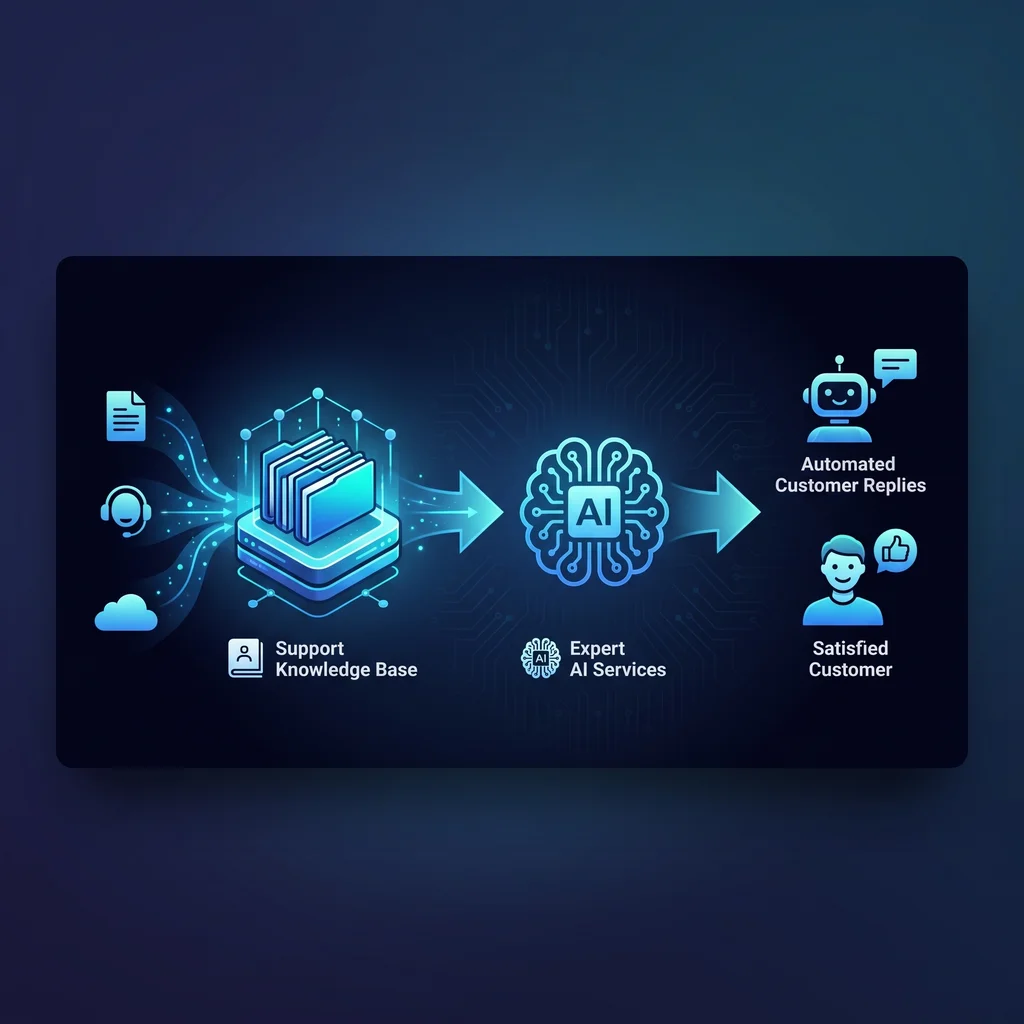
Many Kansas business owners hear automate customer replies and picture a chatbot answering everything on its own. That is not where most useful work starts. A better first move is to build the support knowledge base that tells an AI agent what your business actually knows, what it is allowed to say, and when a person needs to review the answer.
For a small contractor, distributor, clinic, shop, or professional service firm, customer questions usually come from the same few places: pricing pages, service agreements, delivery notes, warranty language, product sheets, old emails, and the memory of the coordinator who has handled it for years. If those answers are scattered, automation does not remove chaos. It repeats it faster.
Reply automation works best when it is grounded in documents, owned by the team, and reviewed before customers see the answer.
Written support automation is different from a voice agent or a sales demo. The customer expects an answer they can reread, forward, and hold you to. That makes source quality matter. If the AI pulls from a stale policy, a half-finished FAQ, or one employee shortcut note, the reply may sound polished while still being wrong.
A usable support knowledge base is not just a public FAQ. It is the operating truth behind the reply. It should include the questions customers ask, the approved language for common answers, the source document behind each answer, and the escalation rule for anything uncertain. This gives the AI guardrails without turning the process into a maze.
Do not begin by writing a perfect encyclopedia. Start with the last month or two of real questions from email, contact forms, texts, and front-desk notes. Group them by intent: scheduling, pricing, warranty, billing, service area, product availability, cancellation, account access, and after-hours emergencies. The goal is to see where support time is actually going.
In many Kansas businesses, the same question changes wording by customer type. A property manager, homeowner, superintendent, and office administrator may ask about the same service in four different ways. Capture those variations. They help an AI agent recognize intent without pretending every customer uses your internal vocabulary.
Once the question list is clear, connect each answer to a source. That source might be a service agreement, policy page, price sheet, installation checklist, return policy, product manual, or internal process note. If there is no source, mark the gap. A missing source is not a failure. It is a useful warning that the business has been relying on tribal knowledge.
Then write a short approved answer for each common question. Keep it plain. Include what the customer needs, what the team can promise, and what should trigger a handoff. For example, a reply about service timing might explain normal scheduling windows, mention that emergency availability depends on crew capacity, and route urgent building-system issues to a coordinator.
The review path is where many projects either become useful or become risky. Decide which replies can be drafted only, which can be sent after a quick human check, and which should always be escalated. Billing disputes, safety issues, contract exceptions, medical or legal questions, and angry customers should not be treated like routine FAQ work.
This is also where worker-first AI matters. The best system gives technicians, dispatchers, office managers, and founders less repetitive typing while keeping their judgment in the loop. The AI can draft the reply, pull the relevant source, and suggest the next step. The person still owns the decision when the situation carries real business risk.
When the knowledge base is organized, customer-reply automation becomes much more practical. An AI agent can read the incoming message, match it to the right answer area, draft a reply, cite the internal source for the reviewer, and send low-risk responses through the channel your team already uses. That might be email, a help desk, a CRM note, or SMS. A model-agnostic stack keeps the workflow focused on the business process instead of locking every answer to one tool.
Expert AI Services approaches this kind of work from building-systems and field-coordination experience, not from a software-first assumption. Decades around controls, BAS, low-voltage work, and jobsite communication shape a simple preference: less software, more useful workflows. Learn more about the local team on the Expert AI Services about page, or see how applied SMS automation shows up in SMSai.
Before automating customer replies, make the knowledge base pass a basic shop-floor test. Can a new coordinator find the right answer? Can a technician tell where the answer came from? Can the owner see which topics need approval? If not, the AI will struggle too.
Start with these working pieces: a list of top customer questions, a source document for each answer, an approved reply draft, a confidence level, an escalation owner, and a review schedule. Revisit the list monthly at first. Add new questions when customers expose a gap. Retire language when a policy changes.
For smaller teams, this does not need to become a sprawling software project. A spreadsheet, shared document folder, and clear naming system can be enough for the first pass. The point is not fancy tooling. The point is giving custom AI services clean, current, business-approved material to work from.
Good workflow automation should feel like a steady assistant who knows where the paperwork is and when to ask for help. It should reduce manual toil, not bury the team in another dashboard. It should make customer communication more consistent while preserving the judgment of the people who understand the work.
That is especially important for Midwest operators whose reputation depends on trust, responsiveness, and clear expectations. If the support knowledge base is strong, automation can help answer routine questions faster, keep replies aligned with policy, and give your staff more time for the customer situations that deserve a real conversation.
Build the foundation first. Then automate the narrow, repeatable replies that are ready for it.
Process Type
Time Saved
Tools Used
Before
After