
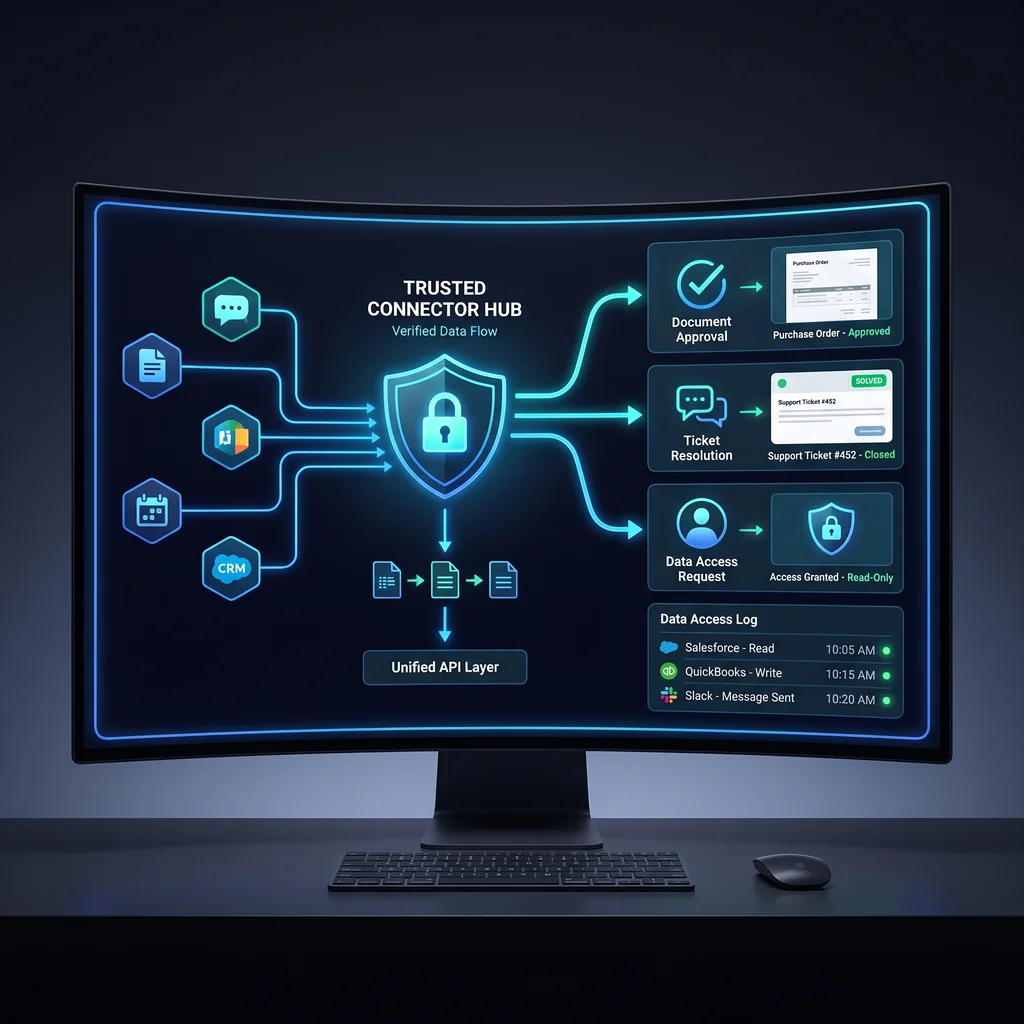
AI is moving from a single chat window into the middle of daily work. ChatGPT Business, app connections, connectors, and Deep Research all point in the same direction: teams want one place to ask questions, search documents, draft next steps, and coordinate work across the tools they already use.
That sounds useful, but Kansas business owners should slow down before turning any tool into the default business AI workspace. The deciding factor is not which product has the longest feature list. The deciding factor is connector trust: what the workspace can access, how it uses that access, and whether your team can verify what happened.
Treat the AI workspace as a governed connector cockpit, not automatic workflow reliability.
A business AI workspace becomes part of how decisions move. It may help a manager look across documents, let a coordinator summarize a customer thread, or give an owner a first pass on research before calling a vendor. Once the tool touches shared information, it is no longer a personal productivity shortcut. It is part of the operating system for the company.
That is why the first question should be plain: what work are we trusting this space to support? If the answer is only brainstorming, the risk is smaller. If the answer includes customer notes, internal files, proposals, vendor records, or policy decisions, then connector access matters.
Many small companies already have more software than they want. Adding AI without a clear job can create another place to check, another subscription to manage, and another source of confusion. A practical workspace should reduce clutter. It should help people find the right information faster, turn repeated steps into cleaner drafts, and make approval easier.
Expert AI Services approaches this through custom AI services and workflow automation that fit the business first. The goal is less software, more useful workflows. You can learn more about the local team at Expert AI Services.
OpenAI documentation describes connectors as a way for ChatGPT to work with information from connected apps and services. In plain terms, connectors can make AI more useful because the tool is no longer limited to what someone copies into a prompt. It can help work with connected sources.
That usefulness comes with responsibility. Before rolling out ChatGPT Business connectors, owners and operators should ask who can connect apps, what data each connector can reach, and whether the answer shows enough context to review the source. A connector that saves time for one employee can create risk if the whole team assumes it is always complete, current, or approved.
A simple checklist helps. First, define the business purpose for each connector. Second, confirm the permission boundary. Third, test the same request more than once and compare results. Fourth, decide which outputs require human approval. Fifth, document what should never be connected.
This is especially important for Kansas businesses where a few people often wear many hats. The person testing the AI tool may also handle sales, operations, hiring, billing, and customer follow-up. A clear trust checklist keeps the workspace from becoming a guessing game.
Deep Research shows how AI workspace tools are moving toward longer research tasks. That can help an owner compare vendors, review product categories, gather background for a planning meeting, or prepare a first draft of a market summary. The value is not that AI replaces judgment. The value is that it can reduce the manual digging before a person makes the call.
The practical guardrail is source review. A research output should show what it relied on and where the team needs to verify. If the workspace cannot make source material easy to inspect, it is not ready to carry important decisions.
For transactional search intent around small business AI tools, the buyer is usually asking a direct question: can this help my business without creating a mess? The answer depends less on novelty and more on repeatability, access control, and review.
Small business AI tools earn their place when they make handoffs cleaner. A good AI workflow should tell the next person what was requested, what was found, what changed, and what still needs a decision. That matters more than a polished demo.
For example, SMSai shows how applied AI can support communication workflows without asking the business to become an AI lab. The point is not to replace the people who know the customer. The point is to reduce repetitive handling and keep work moving. See SMSai for a product proof point from Expert AI Services.
The same thinking applies to an AI Project Setup workflow. Before building or connecting, define the job, the source systems, the approval points, and the success measure. That gives the workspace a working boundary.
Before making a business AI workspace standard for the team, run a small pilot. Pick one workflow that is frequent, low drama, and easy to review. Give the AI workspace limited access. Ask the same question several ways. Check whether answers can be traced back to source material. Watch how employees handle uncertainty.
Then decide whether the workspace is ready for broader use. If it saves time but creates review confusion, tighten the process. If it gives strong answers but reaches too much data, adjust access. If it works well only for one person, document the steps before expanding.
Kansas small businesses do not need hype. They need tools that respect how real work gets done: clear responsibilities, trusted information, and practical follow-through. A business AI workspace can help, but only when connector trust is part of the buying decision from the start.
Explore how custom AI services transform operations, or talk with an AI integration lead about a workspace plan that fits the way your team already works.
Source
OpenAI ChatGPT Business, apps/connectors, and Deep Research documentation
Kansas Impact
Kansas small businesses should verify connector access, data boundaries, and repeatability before rolling out a shared AI workspace.
Key Takeaway
Treat the AI workspace as a governed connector cockpit, not automatic workflow reliability.