
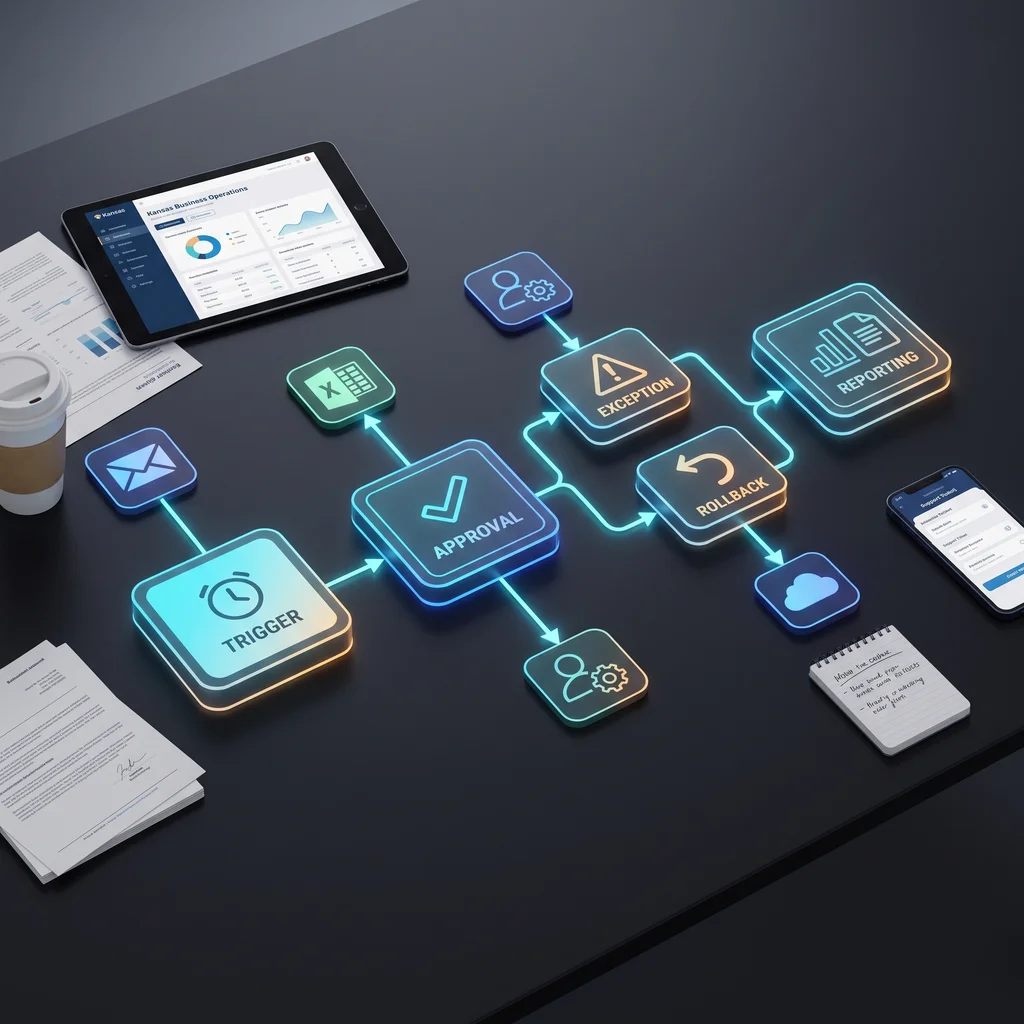
Kansas business owners are seeing connectors everywhere: workflow templates, app integrations, AI assistants, and one-click links between the tools their teams already use. That is useful progress. It also creates a risky shortcut. A connector can move information from one place to another, but it does not decide who owns the result, when a person should approve it, what happens when data is missing, or how the team rolls back a bad run. This AI automation workflow checklist is for operators who want small business automation that can survive a normal workweek, not just a clean demo.
A connector is a bridge between systems. It might send a form submission into a spreadsheet, copy a CRM update into Slack, or pass a customer message to an AI assistant. Tools such as the n8n workflow library make this easier to explore because they show thousands of automation templates across common apps and business functions.
That library is useful because it lowers the barrier to starting. It also proves the main point: the connector is only the plumbing. Your business still needs a process. A workflow decides what event starts the run, what information is required, who owns the output, when AI is allowed to act, when a person must approve, and what record is kept afterward.
A template is a good way to see what is possible. It can show how Gmail, Slack, a spreadsheet, a CRM, or an AI model might pass information from one step to another. For a small team, that can save hours of blank-page planning. It helps the owner and staff see the shape of the work before paying for a custom build.
But a template does not know your refund policy, quote process, customer promises, staffing limits, or risk tolerance. It will not know that one type of message can be answered automatically while another should wait for a manager. Those rules are where workflow automation becomes real operations work.
A connector moves data. A workflow protects the work around that data.
Before you expand n8n workflow automation or any other connector-based setup, write down the missing operating pieces. Start with the trigger. Then name the owner. Then define the decision rules, approval gate, exception path, rollback rule, and report. If any one of those is missing, the team is still making the important decisions manually, even if the apps are technically connected.
The safest first move is an AI workflow pilot. Keep it narrow enough that everyone can understand it. Pick one repeatable handoff, such as routing a website inquiry, summarizing a customer message, logging a request, or preparing a follow-up draft. Do not start with every department, every channel, and every decision.
The pilot should answer six plain questions. What starts the workflow? What data does it need? What can the AI assistant draft or classify? What requires approval? What happens when the data is missing or unclear? What report shows whether the pilot helped?
A reasonable first target is 2 to 4 hours per week after a measured pilot proves itself, not before. That target is not a promise. It is a useful operating goal for deciding whether the workflow deserves more time, more integrations, or a wider rollout.
An automation approval process is not red tape. It is how a small business keeps judgment in the loop. Low-risk actions, such as tagging a lead source or drafting an internal summary, may only need logging. Higher-risk actions, such as sending a customer-facing message, changing a quote, or updating an important record, should require a named reviewer until the workflow has earned trust.
This is where AI helps without taking the steering wheel away from the people who know the business. The assistant can gather context, draft the next step, flag missing information, and reduce copy-paste work. The owner or manager still decides where judgment matters.
Write the trigger in one sentence. For example: when a new web lead arrives, when a support email includes a billing question, or when a spreadsheet row changes status. If the trigger is vague, the workflow will fire at the wrong time or miss the work that matters.
Every workflow needs one accountable owner. That person does not have to do every step, but they should know when the automation is working, when it is paused, and who reviews exceptions. Without an owner, automation turns into another shared inbox problem.
Exceptions are normal. A customer gives incomplete information. A record is duplicated. The AI assistant is uncertain. A manager is out of office. Write the fallback path before launch: notify a person, create a task, hold the update, or return the item to manual review.
A rollback rule tells the team how to undo or pause the workflow. That may mean disabling a trigger, reverting a field update, moving a message back to draft, or switching the process to manual review for a day. A good rollback rule keeps a small mistake from becoming a week of cleanup.
Do not measure everything at first. Choose one outcome: fewer manual status checks, faster first response drafts, cleaner records, fewer missed follow-ups, or fewer duplicate entries. If the report is simple, the team will actually use it.
Expert AI Services builds custom AI services around existing processes, which is why the first conversation should be about the work, not the connector. The Expert AI Services team emphasizes practical, iterative implementation: understand the challenge, prototype the right fit, and refine the workflow before scaling it.
Applied products such as SMSai, DWG-Extract, and AI Project Setup show the same principle in different forms. The value is not just that AI can touch a message, document, or business file. The value comes from a reviewed path that turns input into a useful next step with clear ownership and measurable impact.
Connectors are parts. Workflows are agreements about how the business should run. For Kansas owners and operators, that difference matters. A good AI automation workflow checklist keeps the pilot grounded: trigger, owner, approval, exception, rollback, and report. Once those pieces are clear, the connector becomes useful instead of noisy.
If your team already has tools connected but still decides manually what happens next, that is the signal. Start with one bounded pilot, prove the time savings, and expand only after the workflow has earned trust. Explore how custom AI services transform operations by turning your existing tools into a process your team can actually rely on.
Process Type
AI workflow pilot design
Time Saved
Target 2-4 hours per week after a measured pilot, not guaranteed before validation.
Tools Used
n8n, AI assistant, Slack or email, CRM or spreadsheet, approval log.
Before
Tools are connected, but staff still decide manually what happens next.
After
A bounded workflow runs with clear triggers, approval gates, exception handling, and measurable outcomes.