
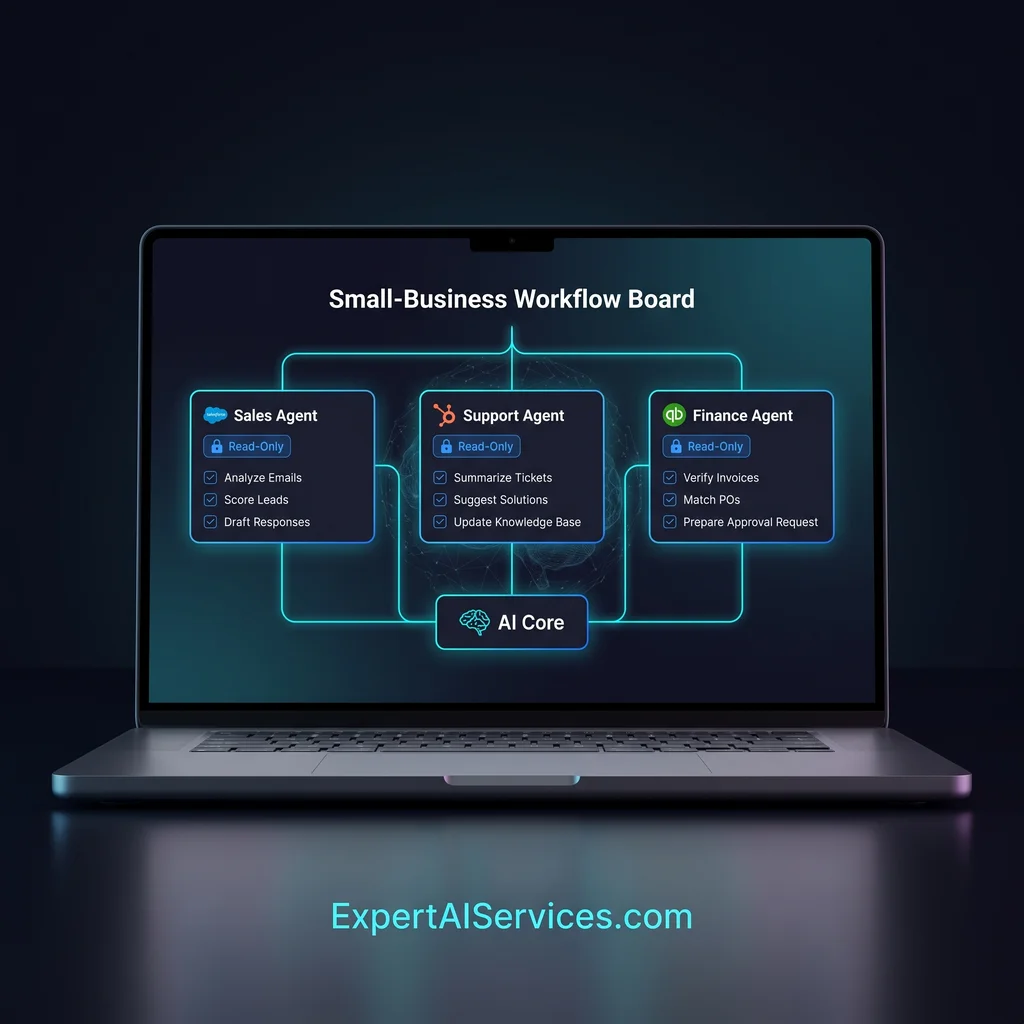
Small businesses are starting to connect AI assistants to calendars, inboxes, CRMs, databases, document folders, ticket boards, and reporting tools. That can be useful, but it also creates a quiet problem: an agent with too many tools can spend more time choosing the wrong door than finishing the job. For Kansas owners and operators, the better starting rule is simple. Give each agent a short tool menu, then prove the workflow works before you expand it.
This is a practical way to think about AI agent tools for small business. The goal is not to make one assistant touch every system in the company. The goal is to build a reliable helper for one job, such as checking a report, preparing a draft, matching records, or pulling a narrow list of updates for review.
Every tool you attach to an agent adds a decision. Should it read the database, search the web, open GitHub, check Supabase, query PostgreSQL, or write a note somewhere else? A person can look at that list and use judgment. An agent needs clearer boundaries. When the menu is short, the instructions are easier to test, the output is easier to review, and mistakes are easier to trace.
OpenAI's Codex Automations guidance makes the same practical point for scheduled work: test the prompt manually first, confirm the selected tools behave as expected, and review the first few outputs before trusting a recurring run. That advice fits small business AI workflow setup outside of coding, too. A narrow first run gives the owner a real review point instead of a mystery process running in the background.
Use one agent for one job, with only the tools required to finish that job and nothing extra.
A common mistake is to begin by asking which MCP tools or app connectors the agent can use. That is backwards. Start with the job: "check yesterday's new leads and prepare a follow-up list," "review support notes for missing details," or "compare this week's open invoices against a spreadsheet." Once the job is written in plain language, the tool list usually gets smaller.
For example, a lead review agent may need a CRM, a spreadsheet, and a draft message folder. It probably does not need billing access, company files, or the ability to update every customer record. A reporting agent may need read-only database access and a place to put its summary. It may not need write permission at all. That difference matters because agent permissions are part of the workflow, not an afterthought.
For a first build, set a working limit of three tools. One source tool gives the agent the facts. One work tool lets it sort, compare, or prepare the output. One destination tool gives it a place to send the result for human review. If a fourth tool feels necessary, pause and ask whether the workflow is trying to do two jobs at once.
Read-only access is a good first step for many small business AI tips because it lets the agent learn the shape of the work without changing records. A read-only setup can inspect rows, summarize tickets, list recent changes, or flag missing information. The owner still decides what gets approved.
This is also where reusable agent skills help. The Superpowers project describes skills as composable methods that guide agents through repeatable work. The Scientific Agent Skills repository points to the same broader pattern: agent work is moving toward packaged capabilities instead of one-off prompt experiments. For a business operator, the lesson is straightforward. Keep the skill tight, keep the tool list short, and make the review step visible.
If one workflow needs GitHub and another needs Supabase, do not force both into the same agent just because the same person owns both outcomes. Create a support-summary agent, a weekly-report agent, or a content-review agent with the tools each one actually needs. Separate agents make permissions easier to reason about and give your team cleaner stop points when something changes.
Pick a workflow that already happens every week and has a clear finished state. A good first candidate has stable inputs, a repeatable review step, and low risk if the first draft needs correction. Write the task in one sentence, list the three tools, decide which tools are read-only, and name the person who reviews the first outputs.
Then run the agent manually. Do not schedule it yet. Compare the result against what your team would normally prepare. If the agent skipped a source, used the wrong system, or created work that cannot be checked, shorten the menu again. Once the result is consistently reviewable, schedule the run and keep the first few outputs in a review inbox.
A Kansas company does not need a sprawling AI project to benefit from custom AI services. It may need one helper that reads the right source, prepares the right summary, and hands it to the right person before Monday morning. That is less software, more useful workflows.
Expert AI Services works best when AI simplifies the operating day instead of adding another dashboard to babysit. If you want proof of the team's applied approach, the local team background and SMSai workflow show how practical automation can be shaped around real business communication. The same mindset applies here: narrow the job, limit the tool menu, and keep a person in the review loop.
Pick one workflow and limit the agent to the three tools it actually needs. Write down the job, the source tool, the work tool, the destination tool, and the approval owner. If the agent cannot complete the work with that short menu, split the workflow into two smaller agents before adding more access.
For business owners comparing AI agent tools for small business, this is the safer first move. A short menu gives the agent fewer chances to wander, gives your team fewer outputs to untangle, and gives leadership a clearer basis for deciding what should be automated next. Talk with an AI integration lead when you are ready to turn that first workflow into a durable, model-agnostic stack.
Difficulty Level
Beginner
Action Item
Pick one workflow and limit the agent to the three tools it actually needs.
Tools Mentioned
Codex Automations, MCP connectors, agent skills, GitHub, Supabase, PostgreSQL
Time to Implement
30-60 minutes