
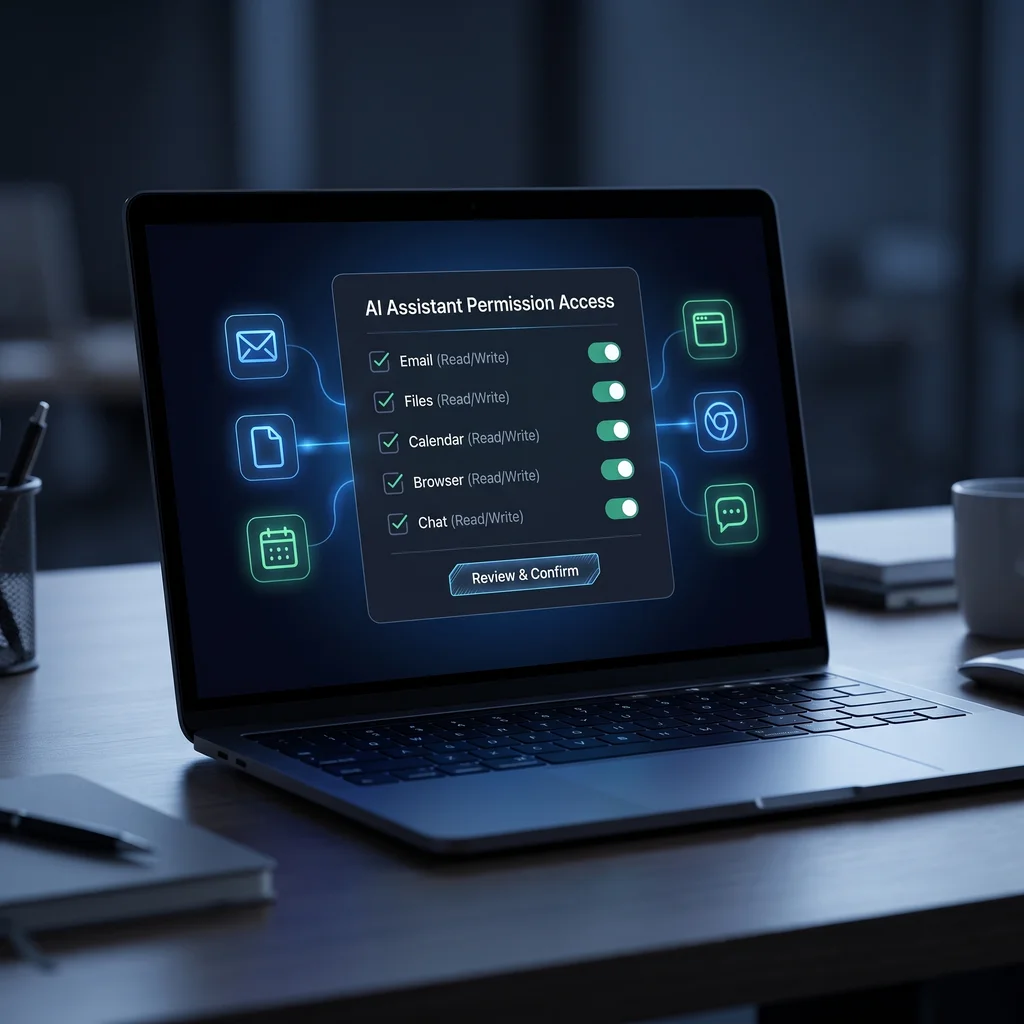
For Kansas owners and operators, the next useful AI step is not just a better chat window. Assistants are moving closer to the systems where work actually happens: inboxes, shared files, calendars, browsers, chat channels, and workflow tools. That can save time, but it also changes small business AI security. AI agent access control is the plain rulebook for who can trigger the assistant, which apps it can reach, what it can change, and when a person must approve the next step.
OpenClaw is a good public signal for this shift because it presents an assistant that can clear an inbox, send emails, manage calendars, and work from chat apps. Its documentation describes a self-hosted gateway across channels such as Slack, Telegram, WhatsApp, Microsoft Teams, and more. That kind of assistant is useful only when the owner knows where the boundaries are.
Before connecting a live assistant, make a simple access map. List every app it can open, every folder path it can read, every channel where it can respond, and every tool it can run. Do not start with what the agent might someday do. Start with the first job you want it to handle this week.
A practical map has four columns: system, permission, risk, and approval. For email, the permission might be read-only inbox search. For files, it might be one shared folder instead of the full company drive. For calendar, it might be read availability but not create meetings. For browser agents, it might be allowed research sites but no admin portals. This is the first pass at AI assistant permissions.
Action item: Audit every app, file path, channel, and tool an AI assistant can reach before enabling live operations.
Keep the map short enough that an owner, office lead, or operations manager can review it in one sitting. For most small teams, the first access review should take 60 to 90 minutes. If it takes much longer, the pilot is probably too broad.
OpenClaw's security docs put identity first: decide who can talk to the bot before deciding what it can do. The docs describe direct-message policies such as pairing, allowlists, open access, and disabled access, plus group rules and mention gates. The business version is simple: do not let every employee, vendor, customer, or public channel trigger a tool-enabled assistant.
For a Kansas business, the safe starting point is a small allowlist. Name the owner, one operator, and one backup reviewer. If the assistant sits in a shared chat channel, require a mention or command phrase so it does not act on casual conversation. If outside vendors need to send information, let the assistant summarize that input without giving the vendor a path to run tools.
This is where a local implementation partner matters. The rule is not just technical. It has to match how your team already handles handoffs, exceptions, and approvals. The local Expert AI Services team helps turn those working rules into a model-agnostic stack instead of a pile of one-off automations.
AI agent sandboxing means the assistant works inside a limited space before it touches live systems. OpenClaw's security documentation describes sandbox options, workspace access levels such as none, read-only, and read/write, and warnings about elevated tools that can run outside a sandbox. For a business owner, the lesson is straightforward: start with read-only access unless the task truly requires writing.
Read-only still gives value. An assistant can summarize unread messages, pull order details from a folder, draft a reply, or compare calendar availability without changing the source system. Once that is reliable, you can approve a narrow write action, such as creating a draft message or adding a non-final task note.
Browser use, file writes, command execution, web fetching, and third-party extensions deserve extra review. OpenClaw's docs warn that prompt injection is not solved by system prompts alone; stronger protection comes from tool policy, approvals, sandboxing, and channel allowlists. Treat links, attachments, and pasted instructions as untrusted until a person reviews the result.
AI workflow approval gates are the checkpoints where a person says yes before the assistant sends, deletes, pays, orders, publishes, or changes a record. Put gates around anything that affects customers, money, employee records, credentials, public content, or legal commitments. The assistant can prepare the work. A person approves the action.
This is also where product examples help. A messaging workflow like SMSai can be useful because it narrows the job: handle text-based communication in a defined lane. The same mindset should apply to browser agents, email agents, and calendar agents. A bounded lane is easier to secure than a general-purpose helper with access to everything.
Keep an approval log. Record the request, the apps touched, the draft action, the approving person, and the final result. The log does not need to be fancy. A shared sheet, ticket, or workflow history is enough for the first pilot. What matters is that you can answer, later, why the agent acted and who approved it.
Public agent ecosystems add another reason to slow down. On February 1, 2026, Tom's Hardware reported that at least 14 malicious OpenClaw skills had been uploaded to ClawHub between January 27 and 29. The report said the skills posed as crypto trading or wallet automation tools and could interact with local file systems and networks once installed and enabled.
That does not mean every extension is unsafe. It means a skill, plugin, browser add-on, connector, or script should be reviewed like any other code that can run in your business environment. Prefer known sources, pinned versions, minimal permissions, and a short test in a sandbox before any live connection.
Here is the owner-friendly version. First, name the assistant's one job. Second, list the apps and folders it needs. Third, remove anything that is only nice to have. Fourth, set read-only access where possible. Fifth, put allowlists on chat and messaging channels. Sixth, require approval before sends, edits, purchases, deletions, or public posts. Seventh, save the approval log.
When those rules are in place, custom AI services become less mysterious and more useful. The goal is not to slow the team down. The goal is less software, fewer manual checks, and a helper that stays inside the lane you chose. If you are ready to connect an assistant to real business systems, talk with an AI integration lead about a smaller, safer first pilot.
Difficulty Level
Intermediate
Action Item
Audit every app, file path, channel, and tool an AI assistant can reach before enabling live operations.
Tools Mentioned
OpenClaw, browser agents, messaging integrations, allowlists, sandboxing, approval logs.
Time to Implement
60-90 minutes for the first access review.