
AI coding agents can build internal tools faster than most business owners are used to reviewing them. That speed is useful, but it creates a plain operational question: how do you know the work is actually done?
A working demo is not enough. A cheerful handoff note is not enough. If an AI-built internal tool will touch customer records, staff tasks, documents, invoices, schedules, or workflow automation, it needs acceptance proof before it becomes part of daily operations.
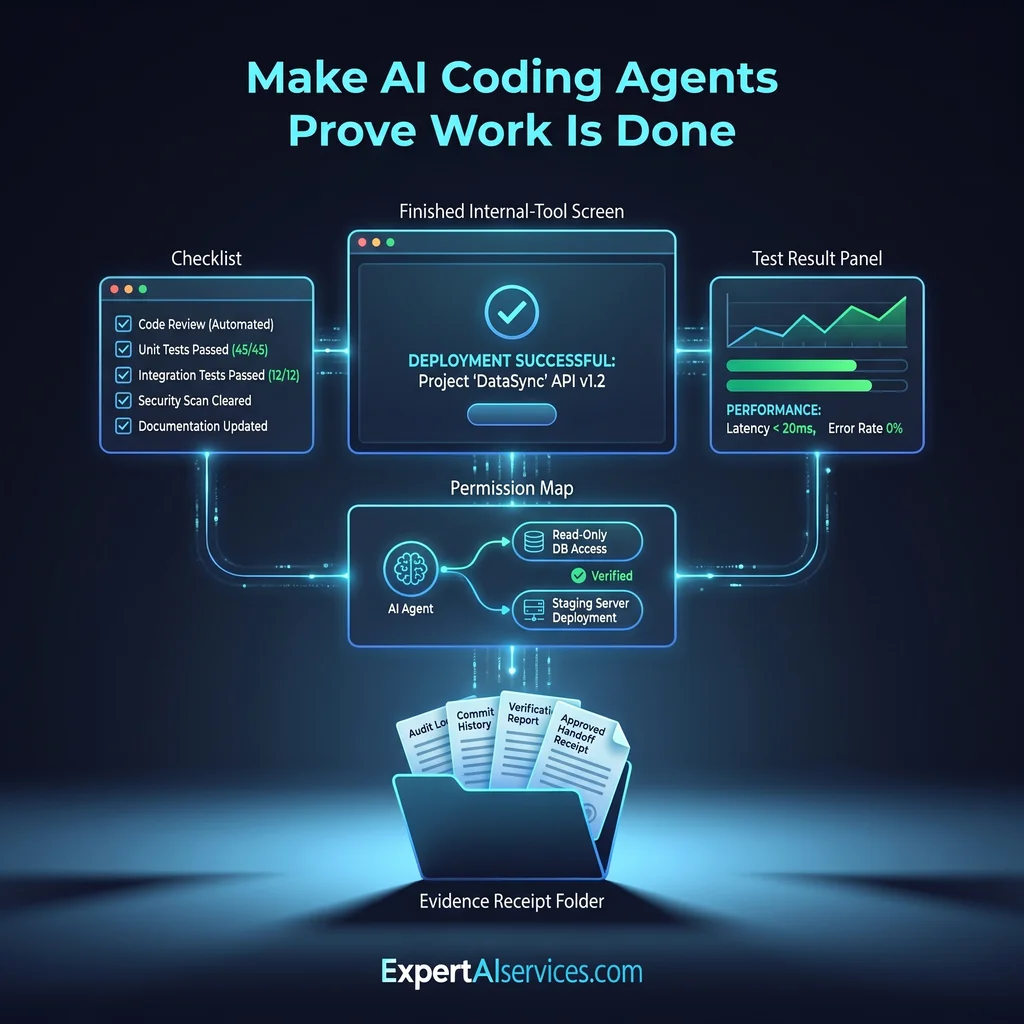
An AI coding agent acceptance checklist gives owners and operators a simple way to say, “Show me the proof.” It does not require a software background. It asks for completion criteria, test logs, permission boundaries, exception examples, and a rollback path in language the business can understand.
Do not accept an AI-built internal tool because it looks finished. Accept it because the handoff proves what it does, what it cannot do, and how the business can recover if it fails.
Claude Code-style agents, Codex-style agents, and other agentic development workflows are moving from experiments into real internal tools. That shift matters for Kansas business owners because the risk is no longer theoretical. A small tool might route requests, summarize intake, update a spreadsheet, draft a customer response, or prepare a report that staff use every morning.
When the tool is wrong, the cost is not just technical. Someone has to untangle the work, explain the mistake, and rebuild trust with the team. That is why small business internal tool QA should happen before the tool is trusted, not after a busy week exposes the gaps.
The public source material behind this article points in the same direction. Agentic software work benefits from quality gates, reusable procedures, repository-based evaluation, and structured human decision points. For an owner, that translates into one practical rule: make the agent prove the handoff before the business depends on the tool.
Start with agent completion criteria. The person or agent handing off the work should state the job in plain language. What business problem does the tool solve? Who uses it? What input does it accept? What output should it produce? What should it refuse to do?
Good completion criteria are specific enough to test. “Make reporting easier” is too vague. “Import the approved sales CSV, flag missing required fields, and produce a weekly summary for manager review” is much better. The second version gives the owner a way to compare the tool against the work it was meant to perform.
Every checklist should include examples. Ask for at least one normal example, one messy example, and one example the tool should reject. This is where many weak handoffs fall apart. If the agent only proves the happy path, the business still does not know how the tool behaves when real work gets uneven.
Exception examples are especially useful for owners and coordinators. They show whether the tool asks for help, blocks unsafe action, or quietly produces bad output. A tool that knows when to stop is often safer than one that tries to finish every task no matter what.
A demo shows what happened once. Test logs show what was checked. Your AI software handoff should include a short list of tests that were run, the result of each test, and any known gaps. This does not need to become a heavy engineering document. It needs to be clear enough that the business can see whether the tool was reviewed against realistic work.
For Claude Code quality gates or similar coding-agent workflows, test evidence may include unit tests, browser checks, sample records, validation scripts, or manual review notes. The format can vary. The expectation should not: no evidence, no acceptance.
Test logs are most helpful when they match the work staff actually perform. If the tool prepares customer follow-up messages, test the kinds of messages staff really send. If it organizes requests, test duplicates, missing details, and unclear wording. If it updates a record, test both approved changes and blocked changes.
This is where a practical partner matters. Expert AI Services approaches custom AI services as workflow automation for real operators, not as software for its own sake. The checklist should protect the workday, not impress a technical audience.
AI-built internal tools often need access to business systems. That access may include files, calendars, inboxes, databases, project boards, or automation platforms. Before go-live, require a permission map that answers four questions: what can the tool read, what can it change, who owns the access, and when will the access be reviewed?
If a tool can only read a folder of approved files, say that. If it can edit a shared system, say that too. If a human must approve final action, write it into the checklist. This keeps AI agents in the role they should have for most small businesses: helping the team move faster while people still own the important decisions.
This also reduces tool sprawl. A model-agnostic stack with clear permissions is easier to manage than a pile of disconnected experiments. Owners should be able to look at the checklist and understand where the tool fits in the business.
The final handoff should include an evidence receipt. This is a short record that says what was built, what was accepted, what evidence was reviewed, who approved it, and where the rollback instructions live. Save it where the business keeps operational notes, project records, or tool documentation.
The receipt matters because internal tools rarely stay frozen. Staff ask for changes. Workflows shift. A new integration gets added. When that happens, the evidence receipt gives the next reviewer a starting point. It also helps separate accepted behavior from new assumptions.
For Kansas businesses that want less software clutter, this kind of record is practical. It gives the owner a simple way to manage AI agents without turning every handoff into a technical meeting.
Your first checklist can be one page. Include the tool name, business owner, workflow, completion criteria, test evidence, exception examples, permissions, approval rules, rollback steps, review date, and source links. The first version may take 60 to 90 minutes. After that, most tool handoffs can be reviewed in about 15 minutes.
Use the same standard whether the tool was built by an employee, a contractor, or an AI coding agent. The point is not to slow down useful work. The point is to keep unfinished work from quietly becoming operational infrastructure.
Expert AI Services helps businesses build practical AI systems with this kind of operating discipline. Products and workflows like SMSai, DWG-Extract, and AI Project Setup reflect the same idea: AI should simplify work, reduce manual toil, and make the next step clearer.
If your business is starting to use AI-built internal tools, set the acceptance standard before the tools spread. Talk with an AI integration lead about custom AI services that fit your workflow, your team, and your tolerance for risk.
Difficulty Level
Intermediate
Action Item
Create a one-page acceptance checklist before letting an AI-built internal tool handle real business work.
Tools Mentioned
Claude Code-style agents, Codex-style agents, test logs, checklists, permission maps, evidence receipts
Time to Implement
60-90 minutes for the first checklist, then 15 minutes per tool handoff