
Small business AI software is changing shape. A year ago, many owners were asking what a chatbot could write, summarize, or explain. Now the better question is which daily workflow is worth trusting it with.
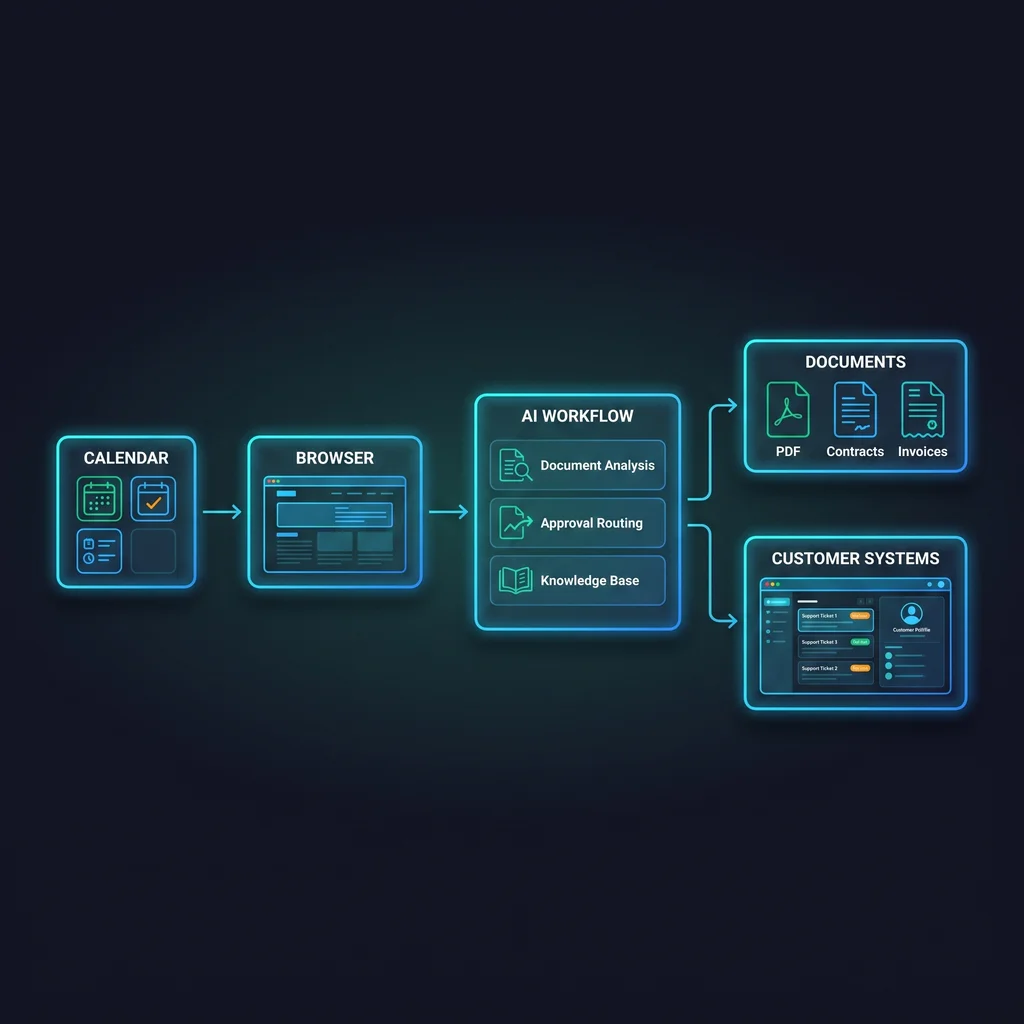
That shift matters because AI workflows for small business are no longer limited to custom experiments or one-off prompt tricks. Anthropic's Claude for Small Business announcement points toward AI assistants being packaged for team use. MCP tools and agent-access projects also show how models can connect with calendars, documents, browsers, and business systems.
For Kansas business owners, the practical opportunity is not more software to babysit. It is less manual copying, fewer missed handoffs, and a clearer path from request to completed work. The caution is just as practical: packaged AI workflows still need access rules, approval gates, and a person who owns the result.
Packaged AI can reduce setup friction, but it does not remove the need for operator controls.
Small teams already run on connected systems. A customer request may start in email, move into a calendar, become a document, and end as a task in another platform. That work is often simple, but it is scattered. The time loss comes from switching tools, retyping context, and remembering which step comes next.
That is why the market is moving from isolated chat windows toward workflow-shaped AI. Claude for small business is one example of AI being presented for team use instead of only personal experimentation. MCP tools are another signal because they give AI agents a structured way to reach outside tools. Projects such as OmniRoute show the same direction: AI work is being connected across systems instead of staying trapped in a single prompt box.
Most Kansas operators do not need a flashy AI demo. They need the Monday morning work to move with less friction. If an AI workflow can prepare a call brief, summarize a document, draft a follow-up, or route a request for approval, the business gets time back without asking staff to learn a complicated new platform.
This is where local, practical AI guidance matters. A workflow should fit the way the business already works. It should not force a small team to rebuild every process around a vendor's preferred dashboard.
A packaged workflow is different from asking an AI tool a single question. It has a repeatable job, a defined starting point, access to the right systems, and a clear finish line. The workflow may gather notes, draft a response, check a document, or prepare a handoff. The important part is that the work follows a known path.
That package can make AI easier to adopt. Instead of asking an owner to design everything from scratch, the software can offer a pattern: connect this source, review this draft, approve this action, and log the result. For busy teams, that structure is often more useful than an open-ended chat window.
The same connected design that makes AI useful can also create risk. If an agent can read documents, use a browser, or interact with customer systems, the business needs to know exactly what that access allows. MCP tools can be powerful, but tool access should never be treated as a casual toggle.
A simple access map can prevent confusion. List what the workflow can read, what it can draft, what it can change, and what always needs a person to approve. That map is not bureaucracy. It is how a small business keeps useful automation from becoming a mystery process.
Packaged does not mean hands-off. A workflow can look polished and still be a poor fit if nobody knows who checks the output, who handles exceptions, or where the final record lives. Small businesses run on trust, and trust requires clear ownership.
Before connecting AI agents for SMBs to important work, ask plain questions. What information can the agent reach? Can it send anything outside the company? Can it update records or only draft suggestions? Which employee approves the final step? Where does the work log live? What happens when the AI is unsure?
These questions help owners protect the people doing the work. AI should reduce manual toil, not create a new pile of unclear tasks. The best workflows make the next step obvious and keep the human decision-maker in view.
The best first workflow is usually boring in a good way. Pick something that happens often, follows a clear pattern, and wastes time when done manually. Avoid starting with a process that carries high risk, unclear ownership, or too many exceptions.
A local service company might start with meeting preparation or follow-up drafting. A professional office might start with document summaries or task handoffs. A retailer or supplier might start with product questions, internal knowledge lookup, or customer response drafts. In each case, the AI gathers, drafts, routes, or summarizes while the operator approves the next step.
Expert AI Services focuses on custom AI services that fit real business operations. Products such as SMSai show how applied AI can simplify communication without pretending the software should replace the team. That is the right mindset for packaged workflows too: less software, more useful workflows, and people still in charge.
As more small business AI software adds packaged workflow features, Kansas owners should expect better options and sharper sales claims. The right response is not to ignore the trend or buy every tool. The right response is to choose one recurring workflow, define the access and approval rules, and build from there.
Explore how custom AI services transform operations by starting with the work your team already repeats every week. The strongest AI workflow is not the one that sounds most advanced. It is the one your people can trust, review, and use without adding more clutter to the day.
Source
Anthropic Claude for Small Business, OmniRoute, and MCP implementation signals
Kansas Impact
Kansas small businesses should expect more AI features inside everyday software, but should still require approval rules, access maps, and workflow ownership before connecting tools.
Key Takeaway
Packaged AI workflows reduce setup friction, but they do not remove the need for operator controls.