
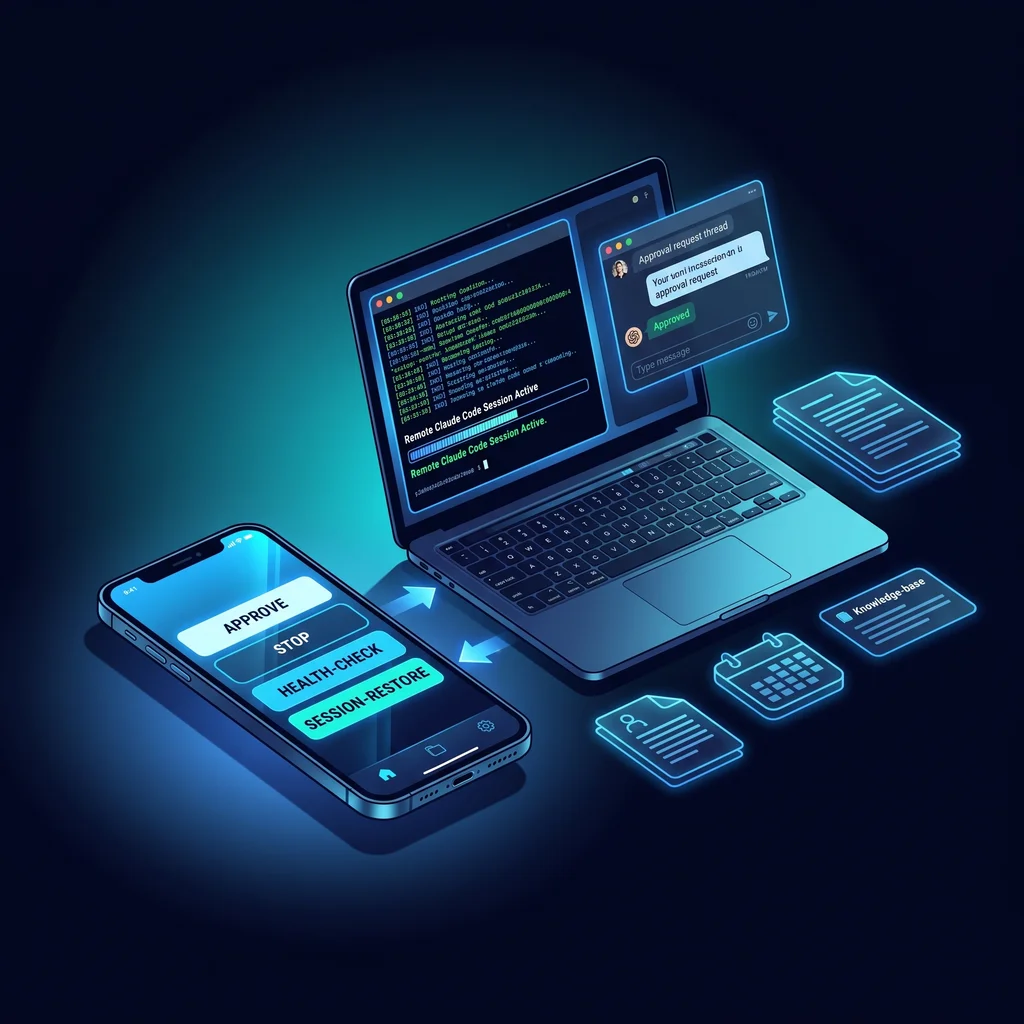
Claude Code remote control sounds convenient for a busy owner. Send a command from your phone, let the coding agent keep moving, and check back when the work is ready. For a small business, though, that convenience needs a hard question attached: what happens when the agent keeps going in the wrong direction?
This case-study style article looks at a scenario client: a solo operator with a remote admin workflow. The owner wants Claude Code progress without staying at the desk, but remote execution can create security and quality risks. The source pattern comes from the public claude-telegram-remote project, which shows a Telegram-based command layer for Claude Code with a command daemon, message cache, interactive buttons, health checks, stop behavior, and session save and restore.
That does not mean every business should copy the repository as-is. It means the operating lesson is useful. A remote AI console should make work visible, interruptible, and reviewable before it becomes accepted business output.
When Claude Code runs at a desk, the person operating it can usually see the terminal, notice drift, and stop the session. Remote control changes that pattern. The owner may be in a truck, at a meeting, on a jobsite visit, or at home after hours. A short phone command can now affect files, scripts, credentials, or business process documentation.
The useful version of remote AI operations is not an always-open tunnel into the company workflow. It is a small business AI console with clear command boundaries. In plain terms, the owner should know who can send commands, which commands are allowed, what the agent is working on, whether the session is healthy, and how to stop the work quickly.
That is where AI coding agent safety becomes practical. It is not a policy binder. It is a handful of controls the owner can understand: allowlisted users, scoped commands, health checks, stop hooks, session recovery, and proof review.
Remote AI work should never feel like an unattended background process. The owner needs a visible way to approve, interrupt, recover, and review the work.
Picture a Kansas owner who handles admin systems, website updates, light automation, and reporting workflows personally. They are not trying to build a software department. They just want a practical Claude Code workflow that can keep a task moving while they are away from the laptop.
The problem is simple. A phone command is easy to send, but a remote agent can still misunderstand context, touch the wrong file, run too long, or report progress that the owner has not verified. If the owner cannot stop the session, inspect the state, or restore context cleanly, remote convenience becomes operational risk.
The solution is to treat remote control as an operations console, not a novelty. The source project includes commands such as status, stop, health, context, save, restore, refresh, and rewind. For a business workflow, those command types are more important than the messaging app itself. They create a way to manage the session instead of merely chatting with it.
The first rule is identity. The command layer should accept instructions only from known, allowlisted users. In the source setup, the operator configures a Telegram user ID so commands are restricted. A business version should use the same idea even if the final interface is not Telegram.
For a small company, this avoids a common mistake: treating AI access as one shared shortcut. Remote command access should belong to named people with a business reason to use it. If a second person needs access, add them intentionally and document what they can do.
The second rule is command scope. A remote console should separate low-risk visibility commands from state-changing commands. A status check, health check, or cost check is not the same as restart, reset, clear, or stop. Save and restore commands also deserve care because they shape what context the agent carries forward.
This is where a model-agnostic stack and custom AI services can help. The goal is less software, more useful workflows. A good implementation keeps the command menu short enough for an owner to trust and specific enough for a reviewer to understand after the fact.
The strongest lesson in the source material is the stop hook. The project describes a deterministic check that looks for missing Telegram replies, terminal text after a reply, invisible terminal text, and errored delivery. For business readers, the technical detail matters less than the operating principle: the system should block or surface work that does not reach the operator cleanly.
That pattern is valuable because a remote agent can fail quietly. It may print something in the terminal that the phone operator never sees. It may claim to have replied when the message did not deliver. It may continue after the owner thought the exchange was complete. Stop rules reduce that gap.
In a business-ready version, stop rules should answer four questions. Did the agent respond where the operator can see it? Did it keep working after the visible reply? Did any hidden text matter? Did the delivery fail? If the answer creates doubt, the session should stop and ask for review.
Remote work also needs recovery. The source project includes session save, restore, refresh, and context listing. That matters because owners do not always need the agent to keep pushing forward. Sometimes they need to pause, reset, and resume with a clean brief.
A health check serves a different role. It tells the owner whether the session is awake and whether the supporting workflow is still in good shape. A simple health command is often more useful than a long status explanation, especially when the owner is making a quick decision from a phone.
The result for the scenario client is straightforward: remote work becomes reviewable and interruptible instead of an unmanaged background agent session. The owner can ask what is happening, stop the work, save context, restore a session, and review evidence before accepting output.
Before adopting Claude Code remote control, Kansas business owners should ask a few plain questions. Who is allowed to send commands? Which commands can change files or sessions? Where is the session history stored? What proves the agent actually replied? What is the stop command? What is the recovery path after a failed run?
Those questions fit the Expert AI Services approach to practical AI work. The aim is not to replace people or bury the team in software. It is to make AI agents useful in daily operations while keeping the owner in control. You can learn more about the local team at Expert AI Services, and see an applied example of simple business automation through SMSai.
A good remote console should feel boring in the best way. It should show status, accept limited commands, stop cleanly, recover context, and leave proof for review. That is how Claude Code remote control becomes a managed workflow instead of another risky shortcut.
Client Type
Scenario client: solo operator with a remote admin workflow
The Problem
The owner wants Claude Code progress without staying at the desk, but remote execution can create security and quality risks.
The Solution
Add allowlisted users, command scopes, session save/restore, stop rules, and proof-of-work review before accepting output.
Result
Remote work becomes reviewable and interruptible instead of an unmanaged background agent session.
Result
Result
Conclusion