
AI agents are starting to move from helpful chat into real business work. They can look up records, draft updates, open tools, pass information between systems, and help teams move faster without adding another layer of software clutter. That is useful, but it also changes the risk. When an agent depends on an MCP server or a tool schema, a small change can break the workflow quietly.
For Kansas owners and operators, the issue is not whether the technology sounds impressive. The issue is whether the workflow still works on Monday morning. MCP testing for AI agents gives you a practical way to check that before a connector change reaches live work.
Public MCP products are already showing where this is headed. Buildable describes an MCP-powered task engine that can connect an AI assistant to plans, repositories, and implementation tasks. Its site explains that an AI assistant can use an MCP server to read the plan, understand the codebase, and execute tasks. That kind of connected work is exactly why pre-release testing matters: once the agent can act through tools, tool changes need proof.
When an AI agent can call business tools, every connector change should be treated like an operational release, not a casual settings update.
An MCP server gives an agent a structured way to use tools. The agent does not just answer a question. It chooses a tool, prepares arguments, sends a request, reads the result, and decides what to do next. If a tool name changes, a required field is renamed, an error format changes, or latency spikes, the agent may still sound confident while the workflow underneath is failing.
That is why MCP server testing should focus on behavior, not just uptime. A server can be reachable and still return data in a shape the agent no longer handles. A connector can authenticate and still reject the argument pattern your agent uses every day. A workflow can pass a simple smoke test and still fail when the prompt includes the messy context your staff actually uses.
The first step is not a giant test suite. Start with five to ten prompts your team already trusts. Use examples that represent normal work: checking a customer status, preparing a follow-up, finding the right record, summarizing a task, or routing a request. Keep the prompts stable so every MCP change is tested against the same baseline.
For each prompt, write down the expected tool call. Include the tool name, required arguments, expected success condition, and acceptable error message. This turns agent tool calls into something an owner can review without reading every line of code.
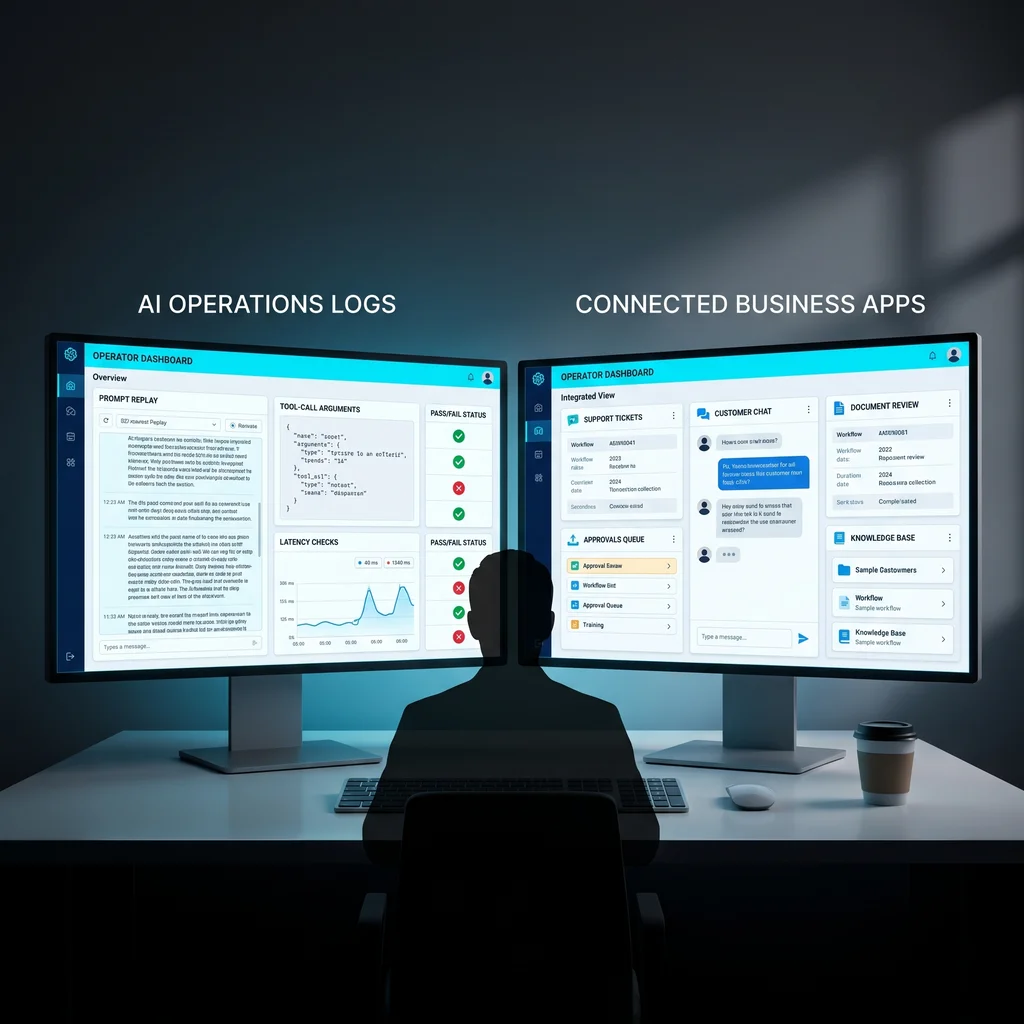
Before a schema, connector, authentication, or MCP server change goes live, run the same prompts against the new version. Compare the new trace to the known-good trace. Did the agent select the same tool? Did it send the right fields? Did it include the customer, job, order, or task identifier in the right place? Did it handle missing information cleanly?
Then check failure behavior. Good AI workflow reliability does not mean every request succeeds. It means failures are understandable, logged, and recoverable. If the tool returns a model-readable error, the agent should explain what is missing or ask for the next useful input. If the tool times out, the agent should not invent an answer.
Latency matters because slow tools change how people use the system. If a tool call took two seconds before and now takes twelve, the workflow may still pass technically while becoming frustrating in daily work. Record latency and failure deltas beside each replayed prompt. You do not need a complicated dashboard at first. A simple release note with prompt, expected call, actual call, status, latency, and reviewer is enough to make the change visible.
The practical tools are straightforward: an MCP server, a prompt replay log, a tool-call trace, and a latency and failure tracker. Together, they give owners evidence before approval. The expected time saved from this process is 2-4 hours per tool release by catching workflow breaks before staff testing has to uncover them during regular work.
Before validation, tool changes can reach live workflows with little proof that agents still call the right tools with valid arguments. After validation, owners replay known prompts, compare expected tool calls, review model-readable errors, and approve connector changes with evidence. That is the operating difference.
This is also where small business automation testing should stay plainspoken. The goal is not to create paperwork for its own sake. The goal is to keep useful workflows from breaking when a vendor, model, connector, or internal tool changes. If your team depends on an agent to move work between apps, the release record should show what changed and what still works.
Expert AI Services builds custom AI services around that kind of practical proof. The work is not about replacing people. It is about reducing manual checking, software clutter, and repeated follow-up. You can learn more about the local team at Expert AI Services, and see applied automation thinking in products like SMSai.
The best time to create an MCP testing habit is before the workflow becomes business-critical. Once staff rely on an agent, every quiet break costs attention. Owners do not need a large engineering department to improve reliability. They need a repeatable checklist, a known prompt set, a trace of the tool calls, and a clear approval step.
For Kansas businesses, that is the right level of AI adoption: useful, measured, and built around the people keeping the operation moving. If your agents are starting to touch real tools, treat each MCP change like a release. Replay the work, compare the calls, check the errors, record the latency, and only then let the change reach production.
Process Type
AI agent connector regression testing
Time Saved
2-4 hours per tool release by catching workflow breaks before staff testing
Tools Used
MCP server, prompt replay log, tool-call trace, latency and failure tracker
Before
Tool changes reach live workflows with little proof that agents still call the right tools with valid arguments.
After
Owners replay known prompts, compare expected tool calls, review model-readable errors, and approve connector changes with evidence.